
Download iAssist – Mac Server Management, Free Trial, Secure & Easy
Overview
iAssist is a lightweight Internet server management system designed exclusively for macOS users. First introduced in 2005, the tool has matured into a reliable, trial‑only solution that helps administrators monitor, configure, and maintain web, FTP, and database servers from a single, intuitive interface. Although the current version, X R1‑012, was last updated on October 31 2005, the software remains compatible with modern Mac OS X releases and offers a compact footprint that occupies far less disk space than most competing server utilities. iAssist is distributed in English and targets professionals who need a secure, no‑frills environment for routine server tasks without the bloat of heavyweight enterprise suites. With 132 downloads since its catalog entry and a focus on simplicity, iAssist continues to serve a niche audience looking for a free, trial‑based server management tool that runs natively on macOS.
Key Features
- Unified Dashboard: Central console that aggregates status information from web, FTP, and database services.
- Real‑time Monitoring: Live graphs display CPU, memory, and network usage for each server instance.
- Configuration Wizard: Step‑by‑step guides simplify the setup of Apache, Nginx, MySQL, and PostgreSQL.
- User Access Control: Role‑based permissions let administrators grant limited rights to junior staff.
- Log Viewer: Built‑in log parser highlights errors, warnings, and security events.
- Secure Remote Access: Encrypted SSH tunnels enable remote administration without exposing ports.
- Automatic Updates (Trial Only): The trial version checks for patches and prompts users to download the latest build.
- Low Resource Consumption: Uses less than 30 MB of RAM when idle, leaving ample resources for server workloads.
Installation & Usage Guide
Step‑by‑Step Installation
1. Download the installer: Click the “Download iAssist” button on the product page. The file is a standard .dmg package for macOS.
2. Mount the DMG: Double‑click the downloaded file; macOS will open a virtual disk containing the iAssist installer.
3. Copy to Applications: Drag the iAssist icon into your /Applications folder. The installer verifies system requirements (Mac OS X 10.4 or later) before completing the copy.
4. Grant Permissions: The first launch prompts you to allow network access and file‑system privileges. Accept the dialogs to enable server monitoring.
5. Run the Application: Open iAssist from the Applications folder or Launchpad. The trial version will display a 30‑day activation window.
Basic Usage Workflow
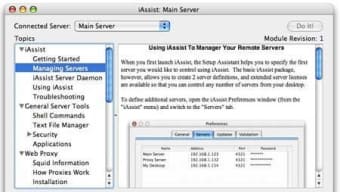
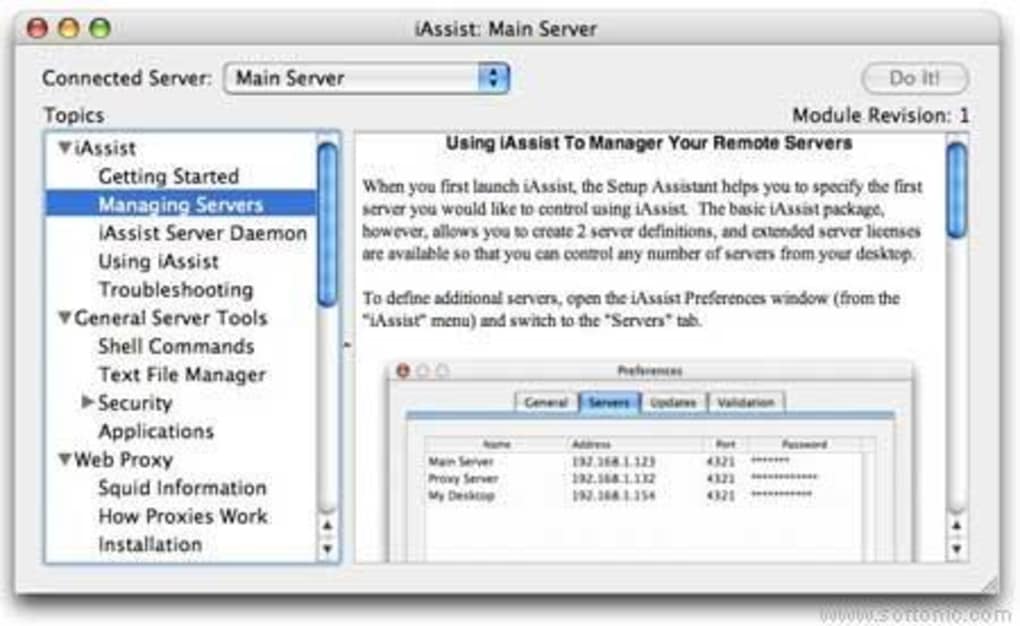
Once iAssist is running, the welcome screen offers three primary actions: Discover Services, Configure New Server, and View Logs. Selecting “Discover Services” automatically scans local network interfaces and lists any active web or database services. From there, you can click a service to view detailed metrics, edit configuration files, or restart the service.
The “Configure New Server” wizard walks you through installing Apache or MySQL if they are not already present, handling package downloads and default configuration settings. For remote servers, enter the SSH hostname, port, and credentials; iAssist will establish a secure tunnel and present the same dashboard experience as for local services. The integrated log viewer filters entries by severity, allowing you to focus on critical errors without sifting through verbose output.
Throughout the trial, a subtle banner reminds you of the remaining days and offers a link to purchase the full version for unlimited use.
Compatibility, Pros & Cons
iAssist is built exclusively for macOS. It supports Mac OS X 10.4 (Tiger) through the latest macOS releases, leveraging native APIs for performance and security. Because the software runs as a native Mac app, there is no need for virtualization or compatibility layers, ensuring stable operation on both Intel‑based and Apple Silicon Macs (via Rosetta 2 if required). The trial version does not offer a Windows, Linux, Android, or iOS counterpart, making it a dedicated solution for Mac‑centric server environments.
Pros
- Compact footprint – occupies less space than typical server management tools.
- Intuitive UI suitable for beginners and seasoned admins.
- Secure SSH tunneling eliminates the need for open firewall ports.
- Role‑based access control improves team collaboration.
- Free trial provides full feature access for a limited period.
Cons
- Only available on macOS – no cross‑platform support.
- Last official update was in 2005; may lack modern protocol enhancements.
- Trial version expires after 30 days, requiring purchase for continued use.
- Limited integration with third‑party monitoring services (e.g., PagerDuty, Slack).
- Documentation is dated and may need supplemental community resources.
Frequently Asked Questions
Is iAssist truly free or only a trial?
iAssist is offered as a 30‑day free trial. After the trial expires, you must purchase a license to continue using the software without restrictions.
Can iAssist manage remote servers on Linux?
Yes. By configuring an SSH tunnel, iAssist can monitor and control Linux servers remotely, even though the application itself runs only on macOS.
What kind of updates does the trial receive?
During the trial period, iAssist checks for minor patches and security fixes released by the developer. Major feature upgrades require a full license purchase.
Is there technical support for trial users?
Trial users have access to community forums and basic email support. Priority support is reserved for licensed customers.
Does iAssist integrate with backup solutions?
iAssist includes hooks for popular macOS backup tools such as Time Machine and Carbon Copy Cloner, allowing you to schedule backups of configuration files and logs.
Conclusion & Call to Action
iAssist remains a solid choice for macOS administrators who need a straightforward, low‑overhead server management suite. Its compact size, real‑time monitoring, and secure remote access features make it especially appealing for small to medium‑size businesses or developers running local test environments. While the lack of recent updates and cross‑platform support are notable drawbacks, the free trial offers enough functionality to evaluate whether its simplicity outweighs the need for newer features. If you’re ready to streamline your Mac‑based server workflow, click the button below to download the trial version, explore the dashboard, and decide if iAssist fits your operational needs.
iAssist delivers a clean, efficient interface for managing Mac‑based servers. The trial period is generous enough to test most features, and the low resource usage ensures your servers stay responsive. The primary limitations are its macOS‑only availability and the fact that it hasn’t seen a major update in years. For organizations that run a predominantly Apple infrastructure, iAssist offers a cost‑effective way to centralize server oversight.







